


Inhaltsverzeichnis
The development of the addon has been stopped and the download is no longer available. The following information is retained for previous users.
1 Download
The download is no longer available
2 Settings
To check or change the settings, go to Tools ➔ Addons ... ➔ Extensions ➔ ConfigDate. Right-click on ConfigDate so that the context menu opens. In the context menu, select Settings ....
In the settings dialog you can then make the settings. Please note that you must confirm your changes with OK.
2.1 Date
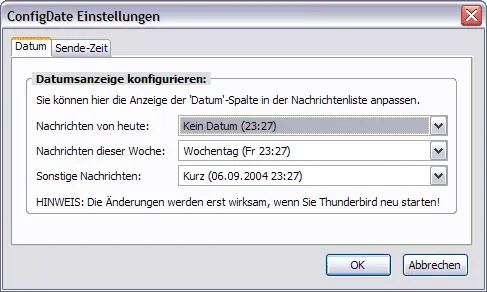
There are 5 different formats for the date. However, apparently the "Long" and "Short" formats are the same under Linux.
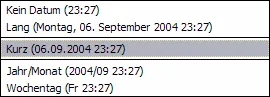
The 5 formats are specified by Thunderbird. ConfigDate does not have its own functions. It only provides a dialog box to exploit the hidden option in Thunderbird. With this add-on, one really only determines whether, depending on the age of an e-mail, the long, medium or short date format should be displayed in the list of emails (in the so-called "thread pane"). The add-on dialog will only show examples of long, medium or short date formats. These do not necessarily correspond to the setting specified or set by your operating system. How exactly a long, medium or short date format should be displayed, must be defined in the operating system. Of these, the view in Thunderbird primarily depends.
The display of the date column will be adjusted after a restart of Thunderbird!
2.2 Sent-time
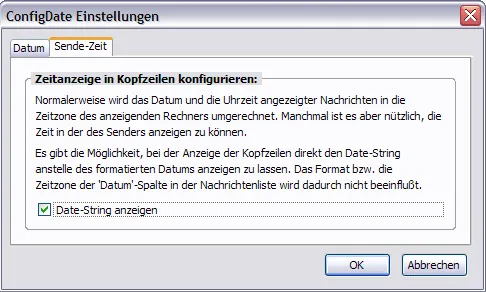
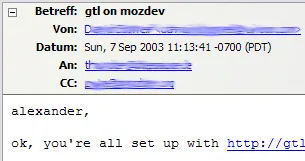
Normal formatted date (default):
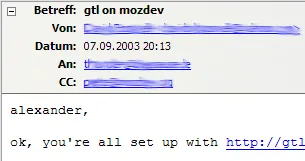
Display of the date string:
2.3 Regional settings of the operating system
If you miss even more options in the selection of date formats, then you should take a look at the language and regional settings of your operating system. Depending on the date display selected there, the display also changes in Thunderbird! Especially affected are the "short" and "long" date formats from ConfigDates selection.
2.3.1 Windows 10
In Windows 10, open Control Panel ➔ Language ➔ Change Date, Time, or Number Formats and enter the dialog titled Region. In the Formats tab you will find the required settings for Date (short) and Date (long). On request, the so-called ISO format in the form of YYYY-MM-DD can be set for the short date:
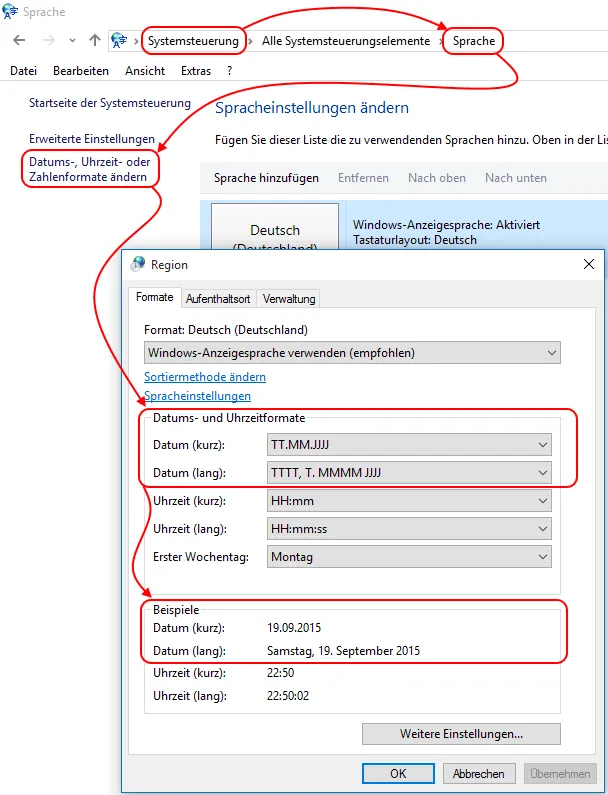
You can specify separate settings for the short and long date formats from a drop-down menu. The selection also contains the missing ISO format (YYYY-MM-DD) for some users. This looks like this in Thunderbird:

Incidentally, you can also adjust the display of the time.
3 Reset settings to default in Config Editor
If you used the "ConfigDate" add-on, the associated or necessary hidden settings in Thunderbird were changed by this add-on according to your selection in the options of the add-on. If you no longer have the add-on installed, or if you want to return to Thunderbird default settings for other reasons, you can do this at any time using the [lexicon='Config Editor',''][/lexicon] (About:config).
You have to check and reset the following settings in the [lexicon='Config Editor',''][/lexicon]:
Thunderbirds own/internal settings:
- mail.ui.display.dateformat.today
- mail.ui.display.dateformat.thisweek
- mail.ui.display.dateformat.default
- mailnews.display.date_senders_timezone
4 Localization
The add-on has been translated into about 25 languages.
5 Version history
5.1 Version 0.9.5
- Supports Thunderbird 67.0 Beta 3 and later versions (the upcoming Thunderbird 68)
5.2 Version 0.8
- Supports Thunderbird versions 58+ (add-on settings dialog)
- New icon for display in Add-on Manager and AMO
6 See also
- [lexicon='ConfigDate - Ein Add-on, um die Einstellung für die Datumsanzeige anzupassen',''][/lexicon]
- Support forum for "ConfigDate"